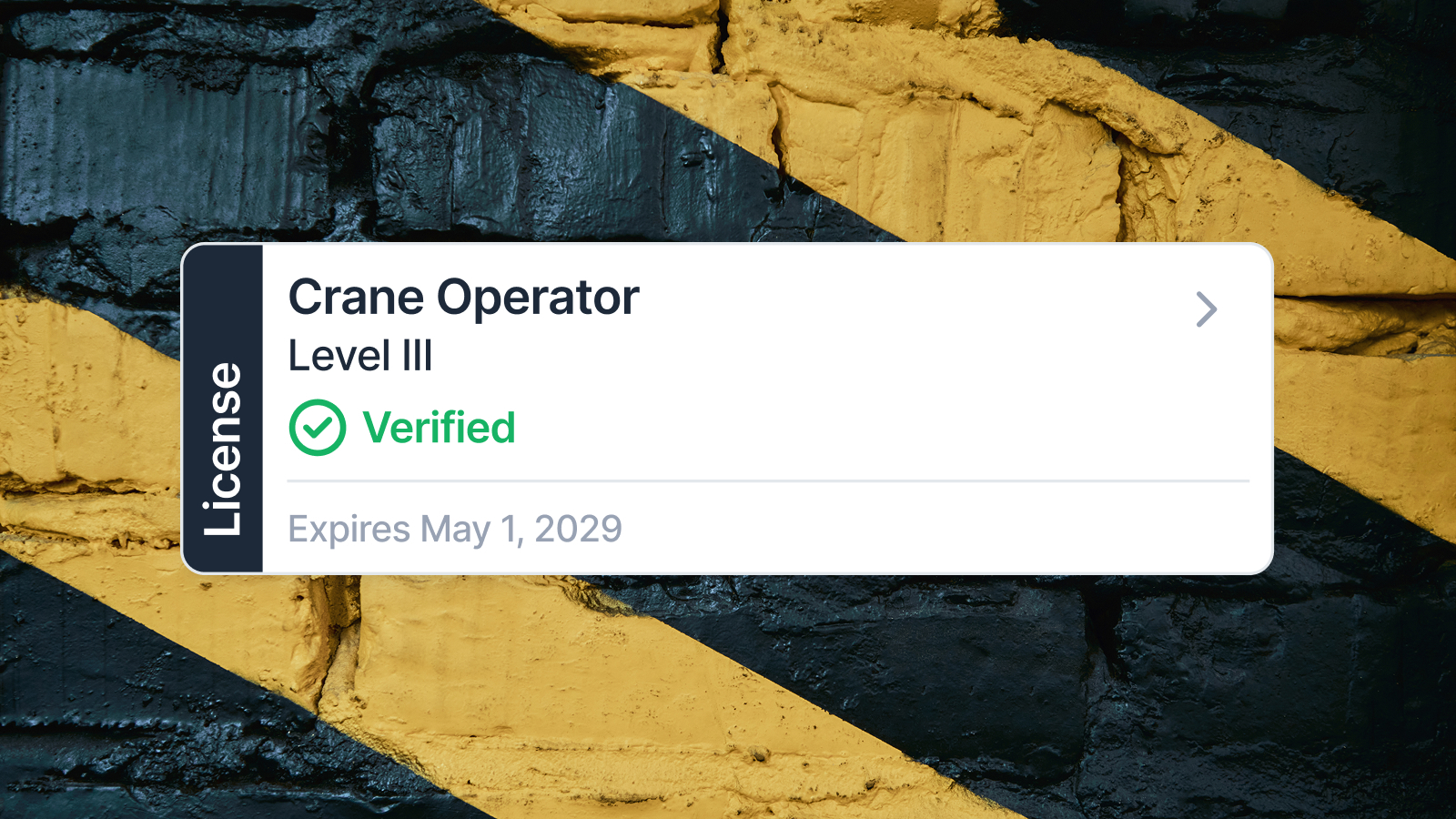

Managing Your Construction Credentials: Digital vs. Physical Records

At a Glance
Why credential management matters: Lost or expired certifications mean lost wages and missed job opportunities.
What we cover:
- Common problems: lost paperwork, missed renewals, and inspection delays
- Physical vs. digital: Pros, cons, and real-world performance
- Disaster protection: Why digital wallets beat paper when floods or fires strike
- Making the switch: Practical steps to go digital
- Career impact: How better credential management improves job readiness
Bottom line: Digital beats physical for protection, speed, and career advancement.
Your construction credentials are your professional passport. Without current certifications, licenses, and training records, you can’t work on most job sites—regardless of your skill level. General contractors, project managers, and safety officers verify these documents before allowing anyone to start work. One missing or expired credential can mean losing a day’s wages or, worse, being sent home from a project entirely.
The problem isn’t just having the right credentials—it’s managing them effectively. Most construction professionals carry multiple certifications: OSHA safety cards, trade-specific licenses, forklift certifications, confined space training, first aid credentials, and more. Each has different expiration dates, renewal requirements, and issuing authorities. Tracking everything manually creates unnecessary stress and real financial risk.
The industry is shifting toward digital solutions, but many workers still rely on physical documents stored in toolboxes, wallets, or filing cabinets at home. This article examines both approaches to help you make an informed decision about managing your construction credentials.
The Challenges of Managing Construction Credentials

Lost paperwork ranks among the most common—and most frustrating—problems in construction credential management. A certification card falls out of your wallet, gets left in a work truck, or disappears in a stack of papers at home. When an inspector asks for proof of training, you can’t produce it. Even though you completed the course and paid the fees, you’re treated as uncertified until you obtain a replacement—a process that can take days or weeks.
Missed renewals create even bigger headaches. Unlike driver’s licenses with clear expiration dates you check regularly, construction credentials often expire without warning. You might not realize your OSHA 30 card lapsed until a superintendent reviews your paperwork. Renewal processes vary by certification: some require retesting, others need only payment and paperwork, but all require advance planning. Miss a deadline, and you’re paying rush fees or sitting idle while your credentials update.
Inspection delays hurt everyone on a job site. When safety officers conduct document checks, workers scrambling through trucks, tool bags, or phone photos to find the right paperwork slow down the entire crew. Faded photocopies, coffee-stained cards, and illegible documents create additional questions and verification requirements. What should take minutes stretches into hours.
Poor credential organization directly impacts your job readiness. Last-minute calls for work opportunities turn into missed chances because you can’t immediately confirm your current certifications. Staffing agencies and contractors move on to the next available worker who can prove they’re qualified right now.
Without a reliable management system, you’re constantly playing catch-up, verifying what you have, tracking what’s expiring, and hoping nothing critical slips through the cracks.
Physical Records: Pros and Cons

Physical construction credentials offer tangible benefits that explain their continued use across the industry. You can hand an inspector an actual card or certificate without needing a charged device or internet connection. Many workers, particularly those who’ve spent decades in the trades, find physical documents more familiar and trustworthy. There’s psychological comfort in seeing and touching proof of your qualifications.
Physical records also work universally. Not every job site has cell service, and not every inspector accepts digital documentation. A laminated card in your wallet functions anywhere, anytime. For older workers less comfortable with technology, physical credentials eliminate the learning curve associated with apps and digital systems.
However, the disadvantages significantly outweigh these benefits. Paper documents deteriorate, they fade in sunlight, tear from repeated handling, get soaked in rain, and become illegible over time. Replacing damaged credentials costs money and time, often requiring you to contact issuing organizations, pay replacement fees, and wait for new documents to arrive.
Loss represents the biggest risk. Leave your wallet at a restaurant, and you’ve potentially lost every credential you carry. Fire, flood, or theft can wipe out years of certifications in minutes. After Hurricane Katrina, thousands of construction workers lost their credentials when their homes flooded. They’d completed all required training and paid all fees, but proving their qualifications became a nightmare that delayed their return to work when reconstruction efforts desperately needed skilled labor.
The Camp Fire in California in 2018 destroyed entire neighborhoods in hours. Tradespeople who evacuated with nothing but the clothes they were wearing lost every physical credential they owned. Rebuilding their certification records required contacting multiple training providers, paying duplicate fees, and navigating bureaucratic processes while communities needed their skills immediately.
Manual tracking of multiple credentials creates another layer of problems. Spreadsheets require discipline to maintain. Calendars need regular checking. Without automated reminders, critical expiration dates sneak up on you. You’re entirely responsible for remembering which certifications need renewal when—a cognitive burden that grows with every additional credential you earn.
Physical records limit efficiency in practical ways. Sharing documentation with potential employers means making copies, scanning documents, or physically delivering paperwork. Updating your records requires filing, organizing, and maintaining a system that’s only as good as your last effort to keep it current.
Digital Records: Pros and Cons

Digital credential management centralizes everything in one accessible location. Instead of tracking multiple cards, certificates, and renewal notices across different physical locations, you store everything electronically. Most digital systems organize credentials automatically, categorizing by type, expiration date, or issuing authority.
Quick access transforms daily work scenarios. An inspector requests your confined space certification—you pull it up on your phone in seconds. A contractor calls with a job opportunity requiring specific credentials and you need to verify and share your qualifications immediately while still on the phone. This responsiveness creates competitive advantages in an industry where timing matters.
Sharing digital credentials happens instantly. Email a certification to a staffing agency, upload documents to a contractor’s portal, or display credentials on-site, all without visiting a copy shop or mailing physical documents. This speed accelerates hiring processes and helps you capitalize on time-sensitive opportunities.
Digital systems typically include expiration tracking and renewal reminders. Instead of remembering dates yourself, automated notifications alert you weeks before credentials lapse. This proactive approach prevents the scrambling and rush fees associated with last-minute renewals.
Cloud storage provides disaster protection. Your credentials exist in multiple locations simultaneously, your phone, your computer, and secure servers. If you lose your device or your home floods, your credentials remain intact and accessible. Workers affected by recent California wildfires who maintained digital credential backups resumed work immediately, while those with only physical records spent weeks reconstructing their documentation.
However, digital credential management requires device access. A dead phone battery or broken screen can temporarily prevent you from displaying credentials. This dependence on technology concerns workers accustomed to the reliability of physical cards. Internet connectivity, while not always required for viewing stored credentials, is necessary for initial downloads and system updates.
Data security represents a valid concern. Storing sensitive information digitally requires protecting it from unauthorized access. Strong passwords, biometric security, and reputable digital credential management software help mitigate these risks, but they require basic technical competence and security awareness.
Some workers hesitate because of the learning curve. Adopting new digital document management systems requires initial time investment to understand features, upload credentials, and establish organizational systems. For workers uncomfortable with technology, this barrier feels substantial.
Industry acceptance, while growing rapidly, isn’t yet universal. Some inspectors or contractors still prefer or require physical credentials. During this transition period, maintaining backup physical copies of critical certifications may still prove necessary.
Digital vs. Physical Records
.png)
Accessibility: Physical records require you to carry them constantly or retrieve them from wherever you’ve stored them. Forget your wallet at home, and you’ve forgotten your credentials. Digital records live on devices you already carry everywhere—your smartphone and computer—making them accessible virtually anytime.
Portability: Physical credentials mean carrying multiple cards, certificates, and documents. The more qualifications you earn, the more paperwork you manage. Digital credential management consolidates everything into one device you’re already carrying, eliminating bulk without sacrificing completeness.
Durability: Paper degrades, tears, fades, and gets destroyed by water, fire, or simple wear. Physical credentials deteriorate and require replacement even when properly stored. Digital records don’t deteriorate—a file from ten years ago looks identical to one created yesterday. Cloud-based digital record management systems protect against device failure through automatic backups.
Security: Physical credentials can be lost, stolen, or destroyed without recovery options. Once gone, they’re gone. Digital systems offer password protection, biometric locks, and cloud backup that physical storage can’t match. When disasters strike—floods, fires, hurricanes—physical credentials disappear. Digital credentials survive because they exist in multiple protected locations simultaneously.
Sharing and Verification: Sharing physical credentials means making copies, scanning documents, or meeting in person to show originals. This process takes time and often results in poor-quality copies that raise verification questions. Digital credentials can be shared instantly via email or through secure portals, arriving in perfect quality that’s easy to verify.
Renewal Tracking: Physical records offer no built-in reminder system. You are responsible for checking expiration dates and initiating renewals. Miss a date, face consequences. Digital credential management software typically includes automated alerts that notify you weeks before expiration, often with direct links to renewal processes.
During Inspections: Physical credentials require producing the right card or certificate when requested. Workers often fumble through wallets, bags, or trucks searching for specific documents. Inspectors waiting for this process waste time and grow impatient. Digital systems allow instant retrieval—search by name or certification type and display the document immediately.
During Renewals: Physical renewal processes require tracking down renewal notices, filling out forms, and mailing or delivering documents. Digital systems often integrate with issuing authorities, streamlining renewals through online portals and automatic record updates.
Cost: Physical credentials incur replacement costs when lost or damaged. Reprinting, reissuing, and rush fees add up over a career. Digital credential management may involve software subscription costs, but these are typically offset by eliminating replacement fees and reducing time lost to credential issues.
Backup and Recovery: Physical records offer no backup unless you personally create and maintain copies in separate locations—something few workers do consistently. Digital document management includes automatic backup features that protect against loss without requiring active effort.
Why Digital Credential Management Matters for Your Construction Career
Your ability to prove qualifications instantly directly affects your earning potential. When a high-paying project needs qualified workers immediately, contractors hire the first properly credentialed candidates who respond. If you’re fumbling with physical paperwork or can’t verify credentials quickly, that opportunity goes to someone who can.
Digital credential management creates professional advantages beyond convenience. Contractors and staffing agencies increasingly expect digital document management competence. Demonstrating technological literacy through organized digital credentials signals professionalism and adaptability—qualities that lead to better job assignments and advancement opportunities.
Career progression in construction often requires accumulating specialized certifications. Journeymen advancing toward master licenses, safety-conscious workers pursuing additional OSHA training, and operators adding equipment certifications all manage growing credential portfolios. Digital systems scale effortlessly—adding the twentieth certification takes the same minimal effort as adding the first. Physical management grows proportionally harder with each new credential.
Compliance requirements are intensifying across the construction industry. More projects demand specific certifications, more jurisdictions enforce stricter licensing requirements, and more insurance policies require verified training records. Digital credential management software helps you stay ahead of these requirements by organizing everything clearly and flagging upcoming expirations.
Geographic mobility benefits significantly from digital systems. Workers who travel between states or work for multiple contractors need to present credentials to different authorities regularly. Digital records make this seamless—send complete, verified credentials to new employers or licensing boards in minutes rather than days.
Your construction credentials represent thousands of dollars in training costs and hundreds of hours in coursework. Protecting this investment through reliable digital record management isn’t just about convenience—it’s about safeguarding your career foundation.
How to Transition to Digital Credential Management

Start by gathering every physical credential you currently hold. Collect licenses, certifications, training certificates, safety cards, and any other construction credentials from your wallet, filing cabinet, truck, and anywhere else you’ve stored them.
Digitize everything systematically. Use a document scanner app on your smartphone or a flatbed scanner to create high-quality digital copies. Scan both sides of the card that contains information on the back. Save files in standard formats, such as PDF or JPEG, that open on any device.
As you scan, verify every detail. Check that expiration dates are readable, credential numbers are clear, and issuing authority information is complete. Blurry or poorly scanned documents create problems later—reshoot if necessary.
Organize files with consistent, clear naming conventions. Include credential type, your name, and expiration date in filenames: “Smith_John_OSHA30_Expires_2026-03-15.pdf” makes identification easy. Create folders by category if you’re not using dedicated digital credential management software.
Enter expiration dates into a digital calendar with reminders set for 60 and 30 days before lapse. If using digital credential management software, the system typically handles this automatically once you upload credentials and input expiration information.
Verify upload quality after transferring credentials to your chosen system. Open each file and confirm readability. Inspectors won’t accept credentials they can’t read clearly.
Consider which physical credentials you still need to carry. Some jurisdictions legally require physical licenses. Some employers don’t yet accept digital versions. Keep these originals safe, but begin using digital versions as your primary reference.
Store physical backups securely. Even after transitioning to digital management, maintain physical copies of critical credentials in a fireproof, waterproof safe at home. This redundancy protects against technology failures and regulatory situations requiring physical presentation.
Establish a regular review schedule—quarterly works well—to check that your digital records remain current, complete, and accessible. Update credentials immediately after completing new training or renewals.
How Digital Tools Simplify Construction Document Management

Digital tools eliminate the administrative burden that plagues physical credential management. No more filing, sorting, or hunting through papers hoping you saved something. Everything exists in searchable, organized systems that find credentials faster than you can open a filing cabinet.
Instant access transforms time-consuming processes into simple tasks. Inspections that previously required digging through paperwork now involve opening an app and selecting the requested credential. Staffing calls that required promising to email documents “as soon as I get home” now conclude with instant transmission while you’re still talking.
Hiring processes accelerate dramatically. Many contractors now use applicant portals requiring credential uploads. Workers with organized digital document management complete applications in minutes. Those relying on physical credentials must first scan or photograph documents—assuming they can locate them—adding friction that may cost them opportunities.
Renewal management becomes proactive rather than reactive. Digital credential management software alerts you to approaching expirations with enough lead time to complete renewals without rush fees or gaps in certification. Some systems provide direct links to renewal portals, eliminating the need to search for renewal information.
Integration capabilities multiply efficiency gains. Advanced digital systems connect with issuing authorities to verify credentials automatically, sync with employer onboarding platforms to streamline new job setup, and export organized summaries for license applications or job proposals.
Reduced stress represents an undervalued benefit. Knowing exactly what credentials you hold, when they expire, and where to find them eliminates constant worry about missing something critical. This mental clarity lets you focus on your work rather than your paperwork.
Record-keeping for tax purposes and career tracking improves significantly. Digital systems maintain complete histories of when you earned credentials, how much you spent on training, and how your qualifications have expanded over time. This documentation supports tax deductions for continuing education and demonstrates career progression when pursuing advancement opportunities.
Effective credential management isn’t optional in modern construction—it’s fundamental to staying employed and advancing your career. The consequences of lost, damaged, or disorganized credentials are too severe to ignore: missed work days, lost opportunities, rush fees, and professional setbacks that proper systems prevent entirely.
Digital credential management offers clear advantages over physical records: superior protection against loss and damage, instant accessibility, effortless sharing, automated renewal tracking, and scalability as your qualifications grow. While physical credentials remain familiar and work universally, their vulnerabilities and inefficiencies create unnecessary risks in an industry where proving qualifications quickly and reliably directly impacts earnings.
The transition from physical to digital record management requires minimal initial effort but delivers ongoing benefits that compound over time. Whether you choose standalone document scanning apps, specialized digital credential management software, or comprehensive digital document management platforms, moving your credentials digital protects your professional foundation and positions you for success in an increasingly technology-integrated industry.
Your construction credentials represent your professional identity. Manage them with systems that match their importance—systems that protect against disasters, facilitate quick verification, and support your long-term career progression. The construction industry continues evolving toward digital solutions. Workers who adapt now gain competitive advantages that translate directly into better opportunities and greater earning potential.
Frequently Asked Questions
What are construction credentials?

.svg)
Why is managing construction credentials important?
How do digital records improve construction credential management?
How can digital documentation be used to improve record-keeping and data management?
Take Control of Your Credentials
Protect, organize, and instantly verify your certifications with BuilderFax’s digital credential management—so you’re always job-ready, compliant, and one step ahead. Do
Download BuilderFax.svg)
.svg)